Grouping Exercises
Separating Exercises Into Different Groups
Occasionally you may find it helpful to create different groups of exercises for a patient. For example you may want to prescribe a group or strength exercises and a separate group of mobility exercises. Or you may want to group exercises based on body type (for example neck exercises and a different group of hip or knee exercises).
Creating different exercise groups, and differentiating how these groups are displayed on your patient’s app can help the patient know which exercises to do together, and when.
Here is a simple way to group exercises…
As you add exercises to a patient the exercises will show up on their app in the order they appear in their file within your My Rehab Connection portal.
If you want to group certain exercises together you can simply prescribe an ‘Exercise Divider’ in the same way you would prescribe an exercise. (Just like exercises these dividers can be found in the My Exercise Library section, as well as in the My Exercise Groups section within the group titled “Group: Exercise Dividers“).
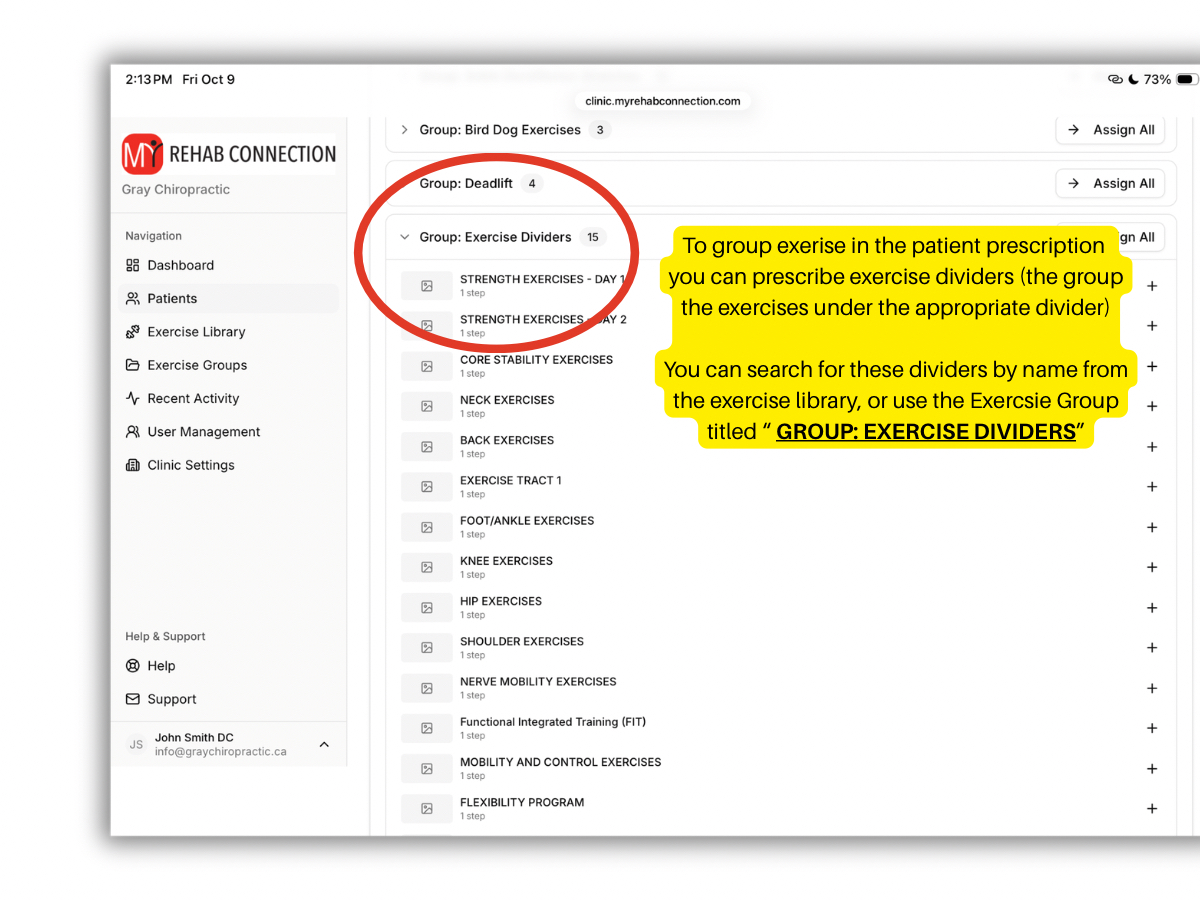
These dividers have titles such as “Shoulder Exercises”, “Neck Exercises”, “Core Stability Exercises”, and so on. You can also create your own custom divider in the same way you would create your own exercise.
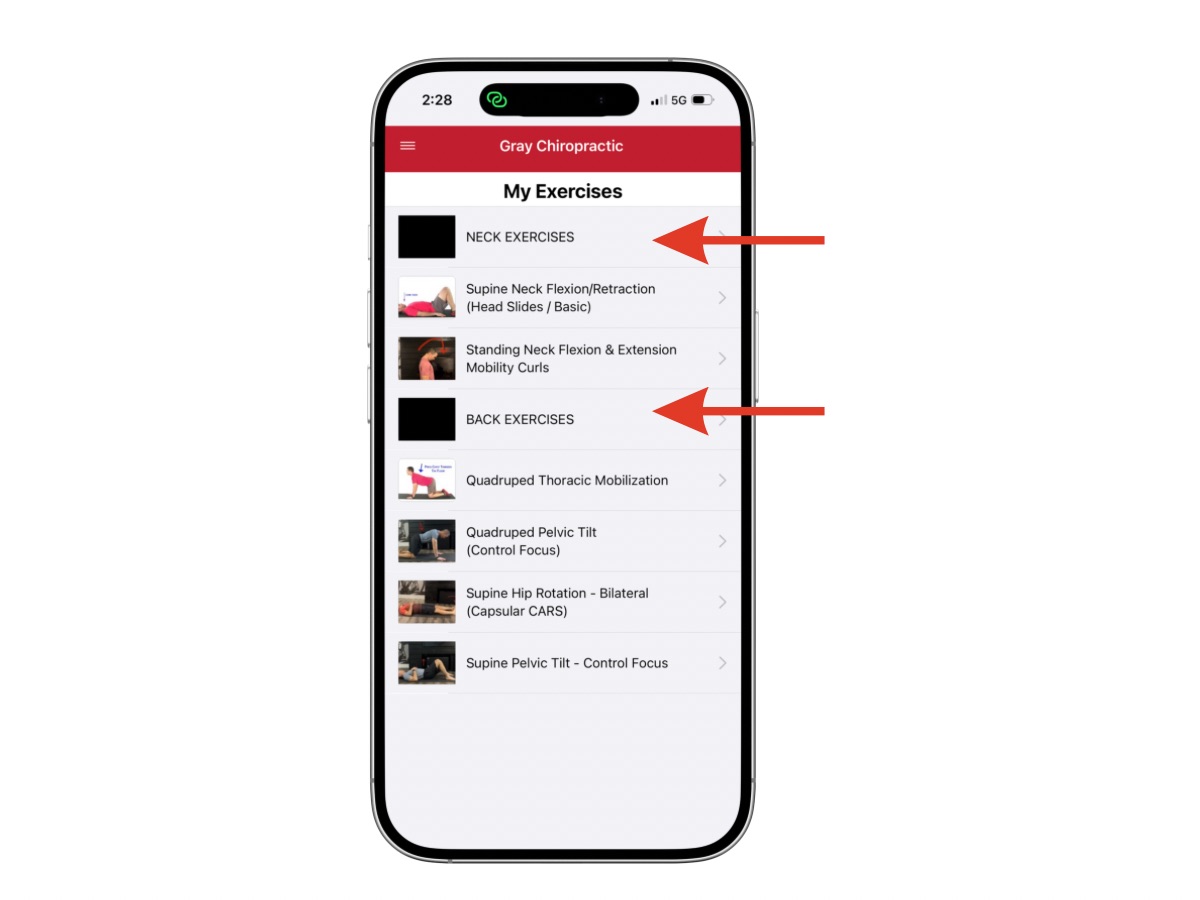
Simply prescribe the exercise divider to the patient just as you would prescribe an exercise, then rearrange the exercises you want associated with that heading/group below the divider. When they show up on your patients app the exercises will be listed below the exercise divider/group heading.
Here is an example of how these exercise dividers will look on your web portal and from your patient’s app.