Prescribing Exercises To Your Patients
Prescribing Exercises To Patients From The Exercise Library
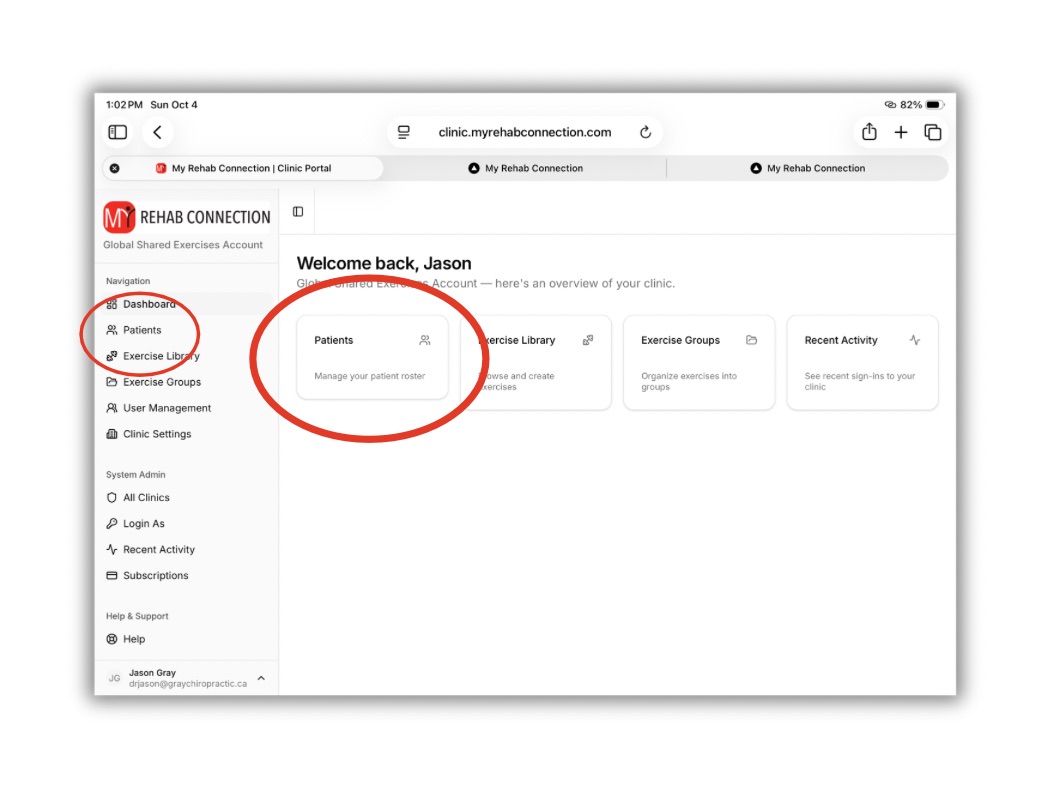
To access a patient click the “Patients” link from the left sidebar or Dashboard.
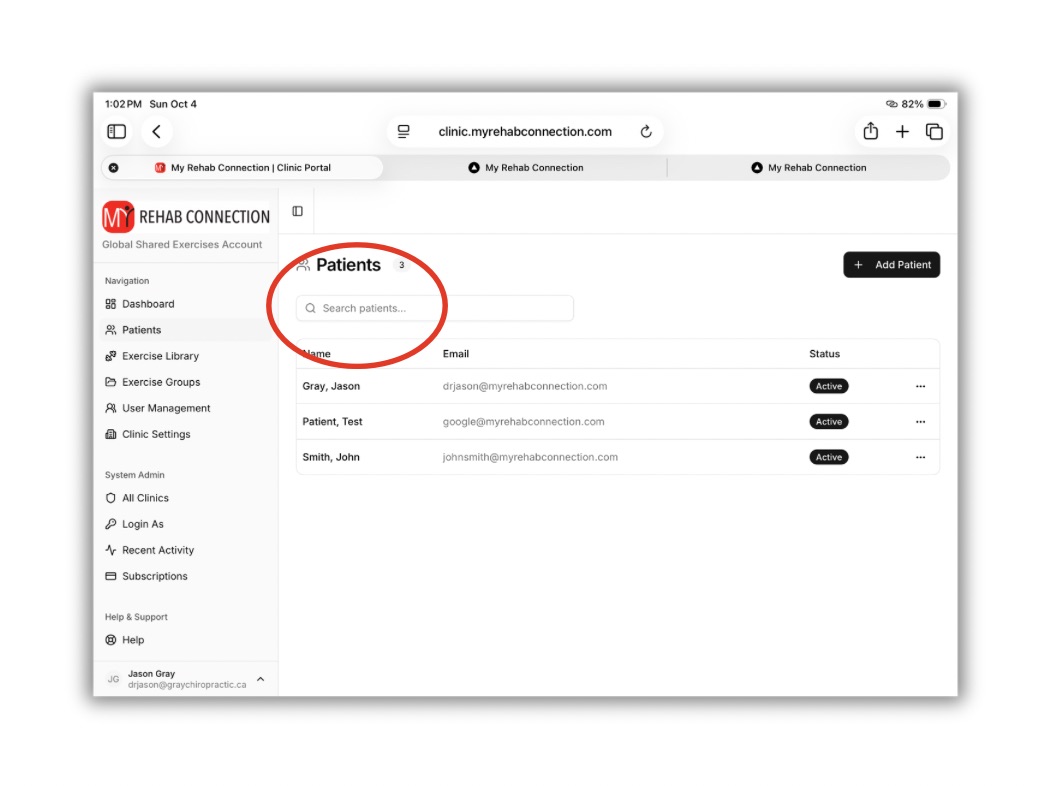
From the Patient window search for the patient you want to edit from the top search bar.
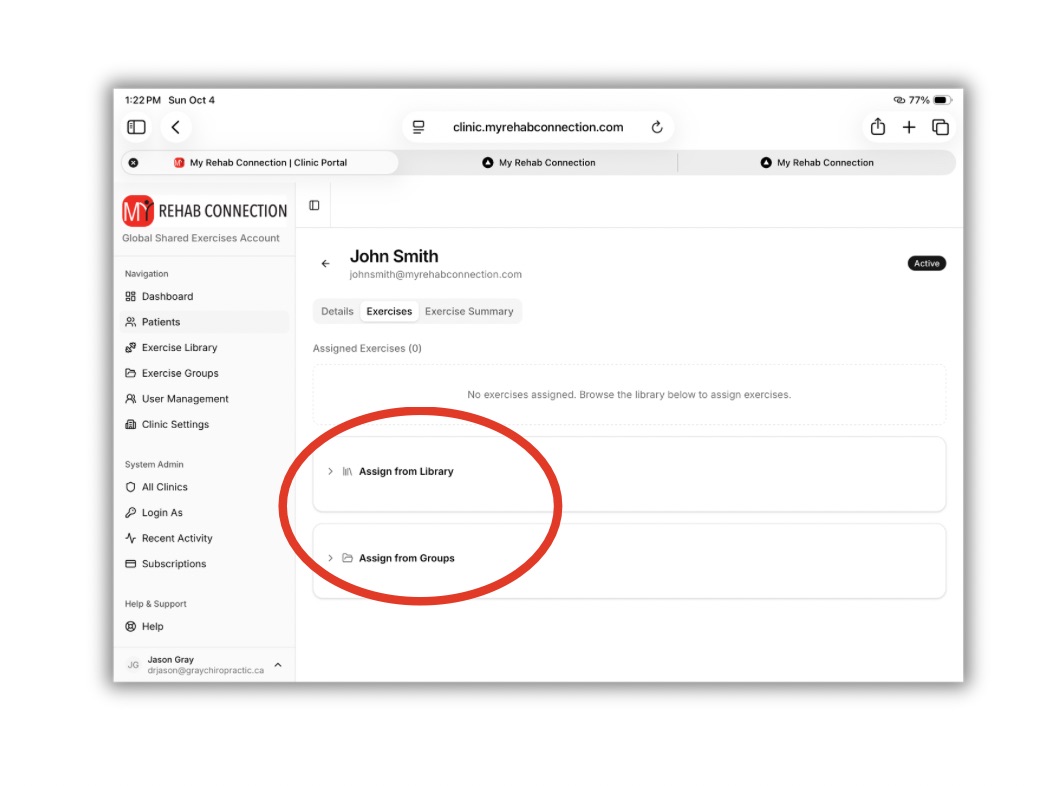
Click on the patient you want to work with. As the patient screen opens your will first see the exercises currently prescribed to the patient (there are no listed exercises in this example as here we are prescribing exercises for the first time).
Towards the bottom of the screen you will see options to “Assign from Library” or “Assign from Group”
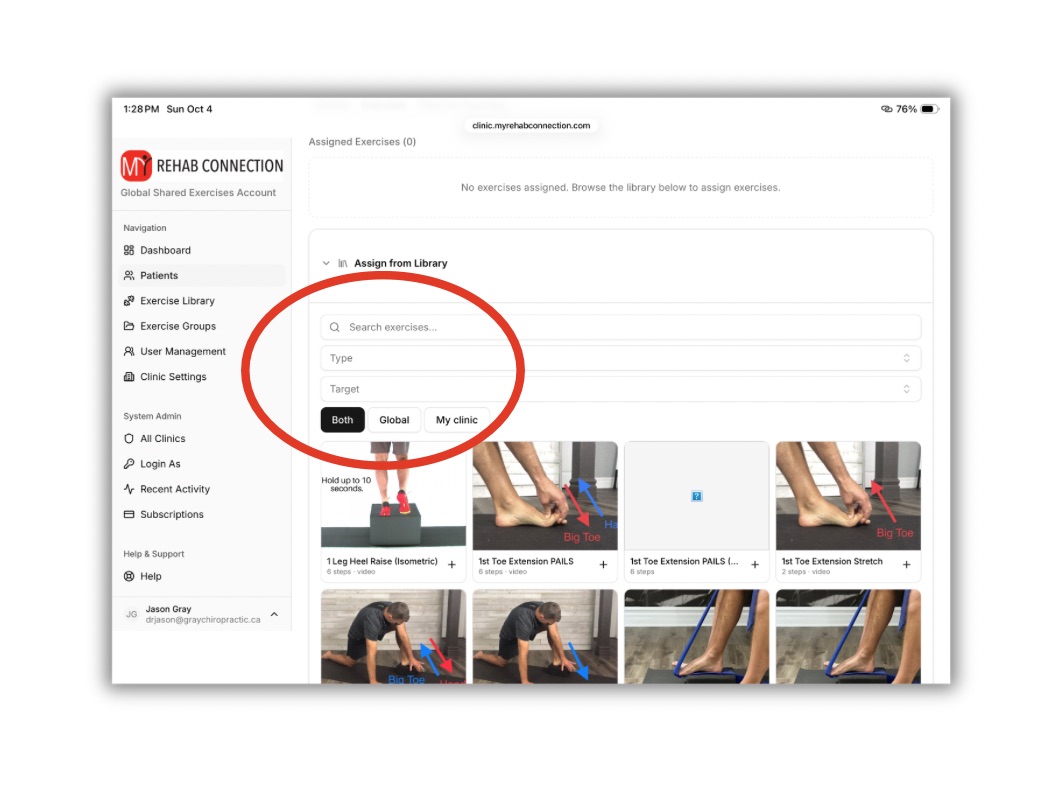
To “Assign from Library”, press the drop down arrow to open the Exercise Library. From here you can add exercises to the patient. To more quickly find the specific exercise you are looking for you can refine your search using the search boxes. Here you can search by exercise name, as well as add search filters based on exercise type (i.e., strength, flexibility, myofascial release, etc) as well as target/body region (foot, elbow, lower back, etc.)
You can also refine the search but viewing exercises from the “Global” pre-loaded exercise library, from the “My Clinic” library (this includes only the exercises you have copied to your personal exercise library or custom exercises you have created. If the “Both” button is selected it will display all exercises.
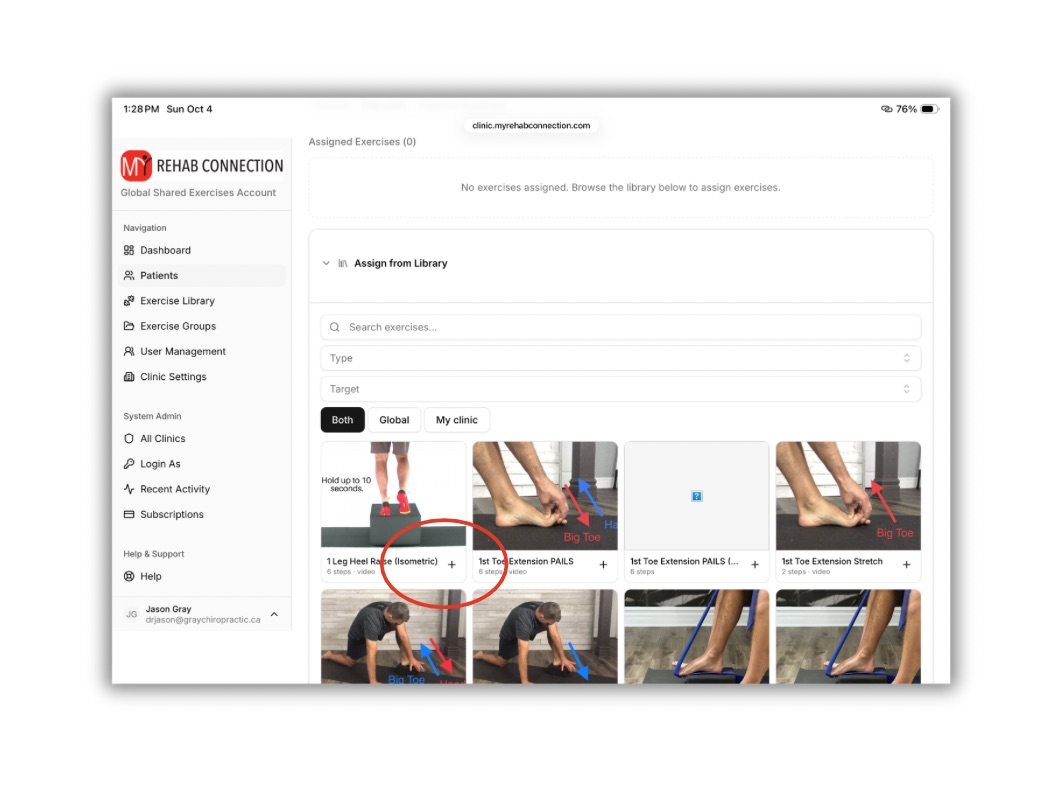
To add an exercise directly press the “+” button located in the lower right corner of each exercise. You will now see the exercise listed above in the “Assigned Exercises” section.
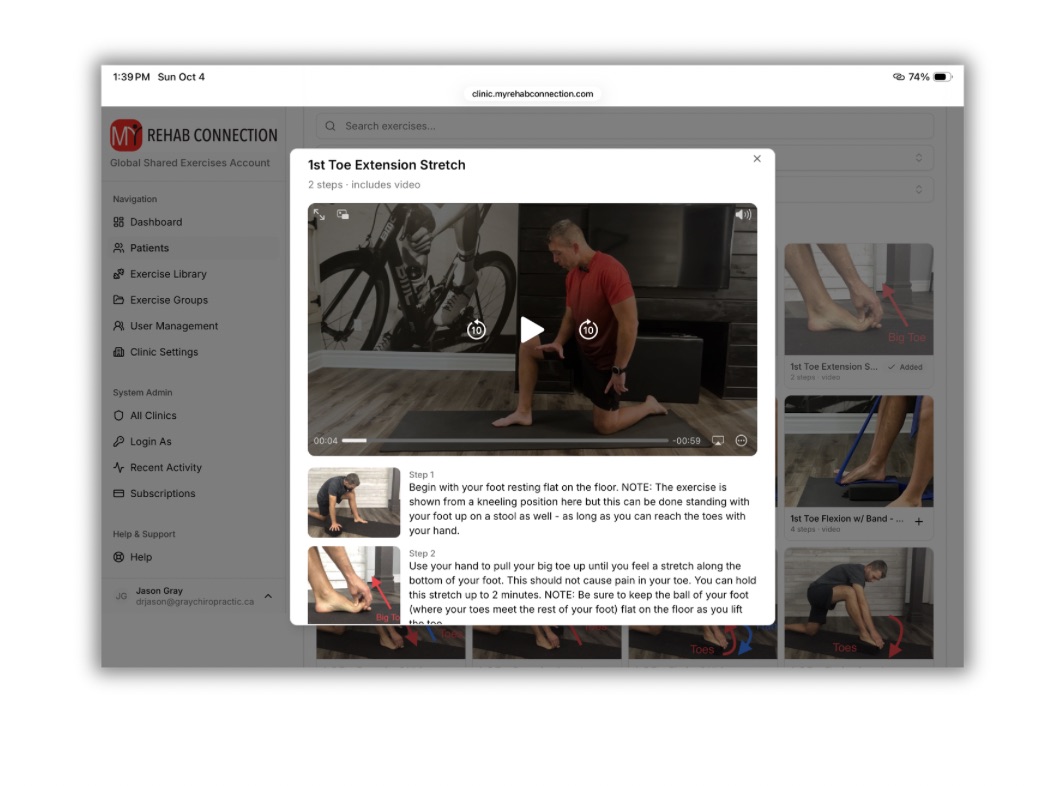
To view the exercise prior to prescribing it click on the exercise itself. This will open a pop-up window where you can review the exercise before adding it to the patient. From this screen you can add it to the patient by clicking the “Assign to Patient” button at the bottom of the window. Or you can close the window to continue searching.
NOTE: You cannot modify exercises instructions here. But you can modify exercise instructions when your open the exercise from with the “Assigned Exercises” section above.