Rearranging Patient Exercises
Changing The Order Of Your Patient’s Exercises
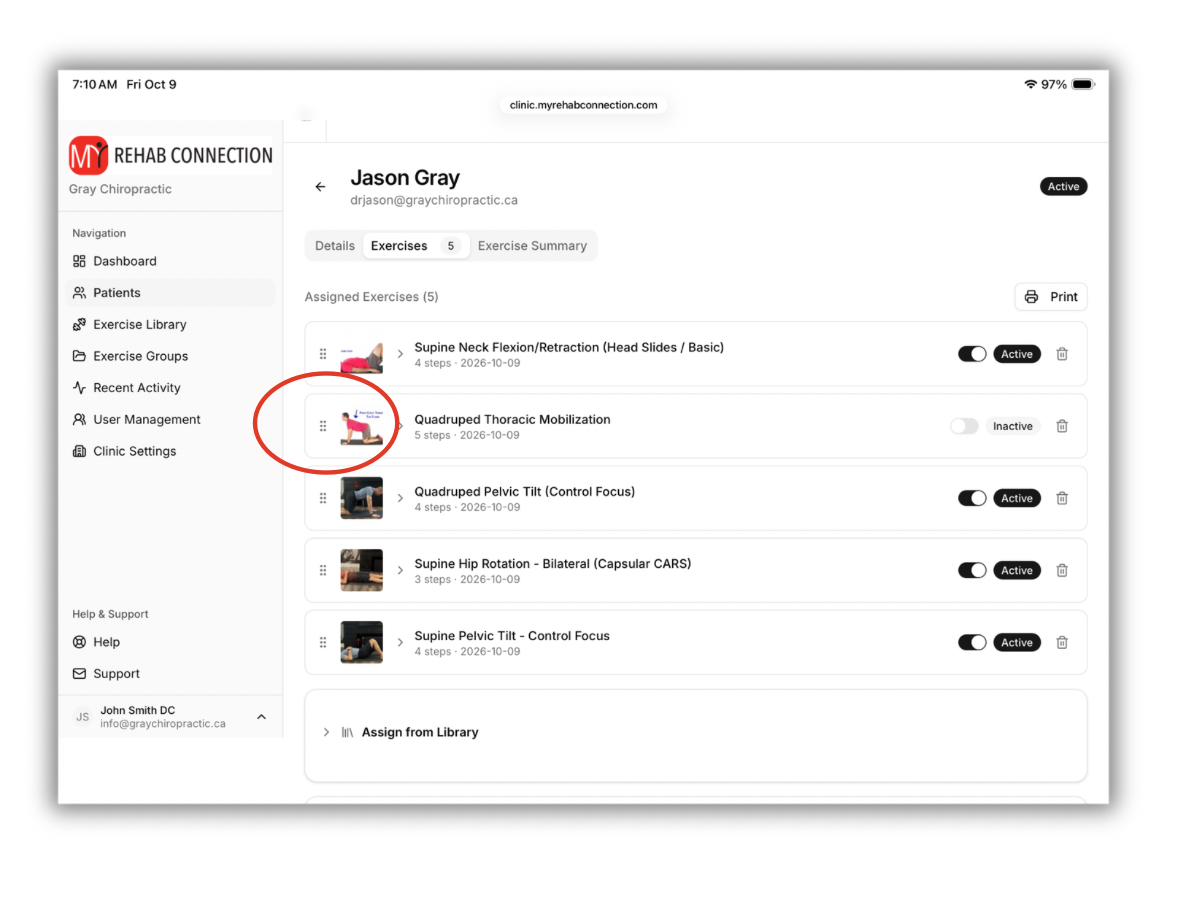
Any new exercises you add to a patient will appear at the bottom of the exercise list. This is also how exercises will appear on the patient app or patient website.
But you can change the order in which the exercises appear if you want the patient to perform them in a specific order or sequence.
To change the order of a patient’s exercises simply click or hold the 6 dots at the left of the exercise and drag-and-drop the exercises into the desired order.