
Copying An Exercise To Your Exercise Library
Creating Your Custom Exercise Library
All users have access to the global pre-loaded Exercise Library. But to help same time when searching for and prescribing exercises you can also create your own custom “My Clinic” exercise library.
This can include exercises that you copy/clone from the global library into your custom “My Clinic” library, or any custom exercises you create from scratch.
To copy an exercise to your My Clinic library
To copy an exercise to your “My Clinic” library, open the “Exercise Library”. Search for the exercise you want to copy, then click the 3 dots at the bottom right of that exercise. From there you will see an option to “clone’ the exercise.
Once you clone the exercise it will then be copied to your “My Clinic” library.
Note: To view your “My Clinic” library you can toggle the “My Clinic” button at the top of the Exercise Library display. If the “Both” tab is on it will display exercises from both the global exercise library and your “My Clinic” Library.
When prescribing exercises to patients you can specify the “Global” vs “My Clinic” exercise library this same way.
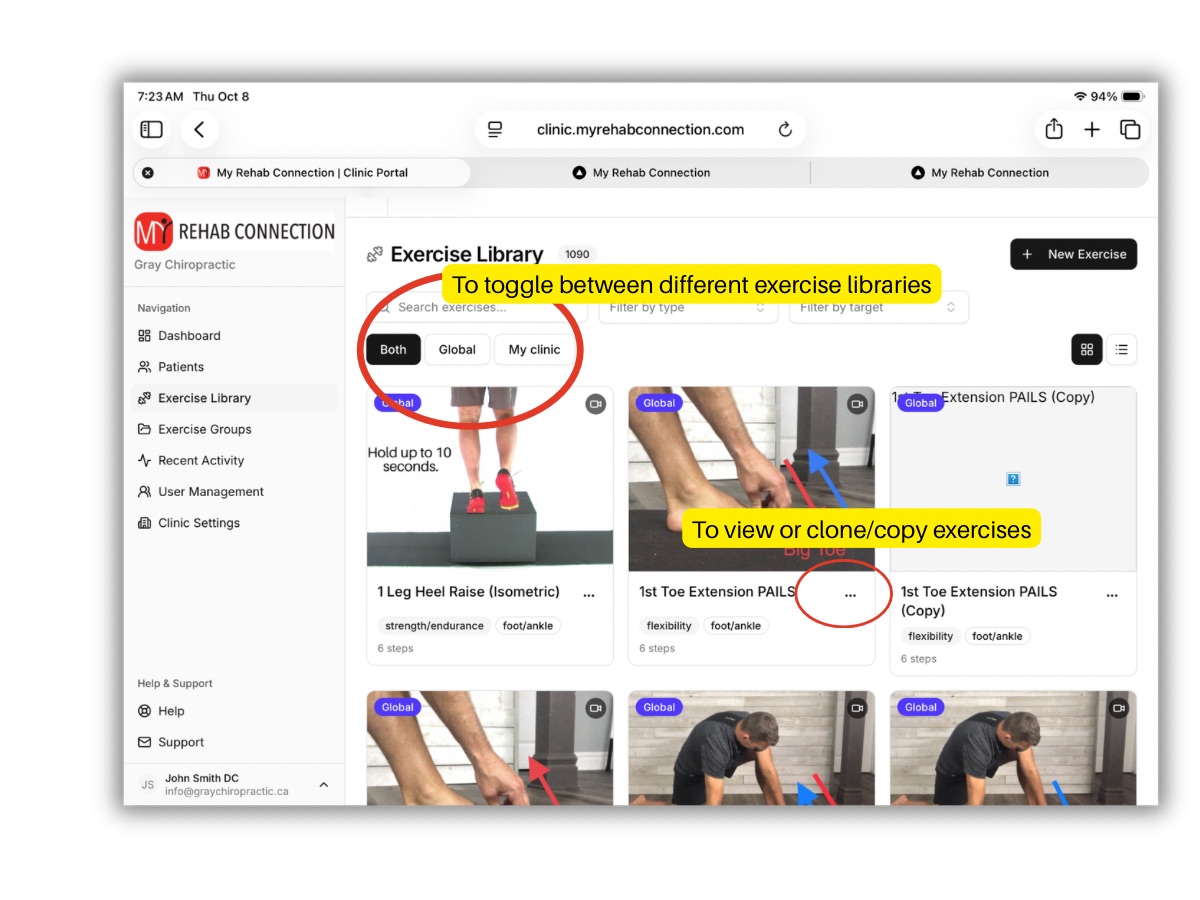
Note: Once an exercise is copied to your “My Clinic” library you can modify the exercise (name, text, pics, videos, etc) by clicking the 3 dots at the lower right of each exercise. You cannot edit exercises from the Global library.