
Adding A Patient
Adding A Patient To Your Account
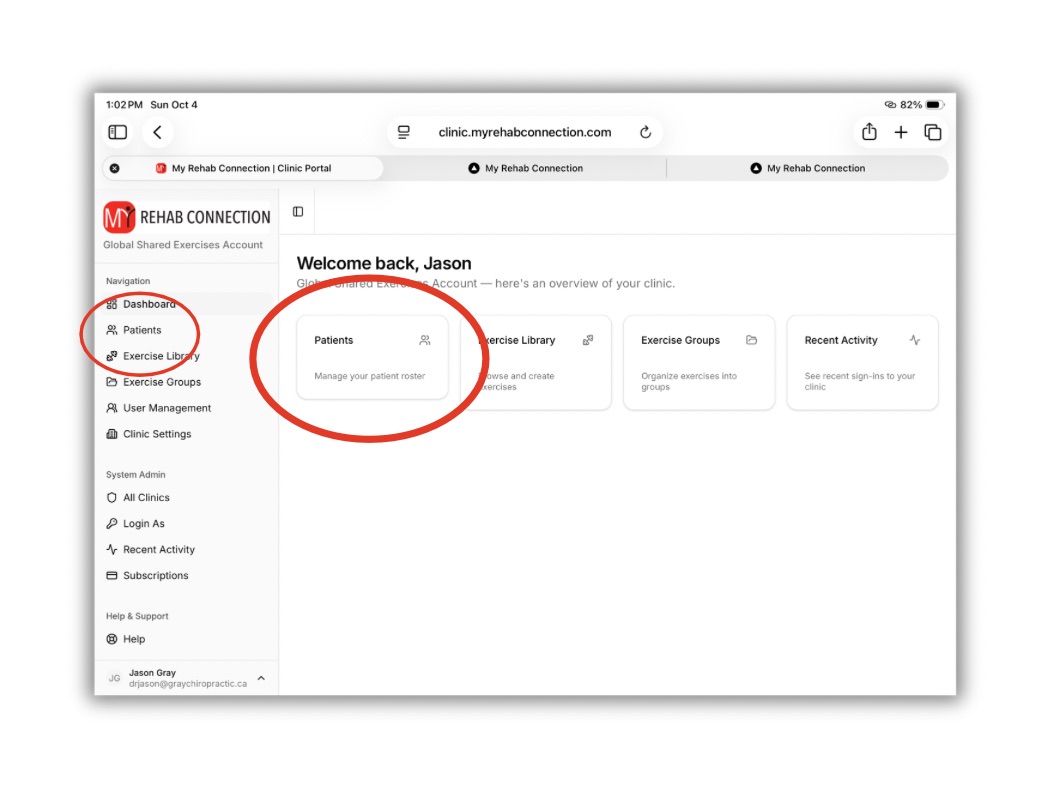
To add a patient click the “Patients” link from left sidebar or from the Dashboard.
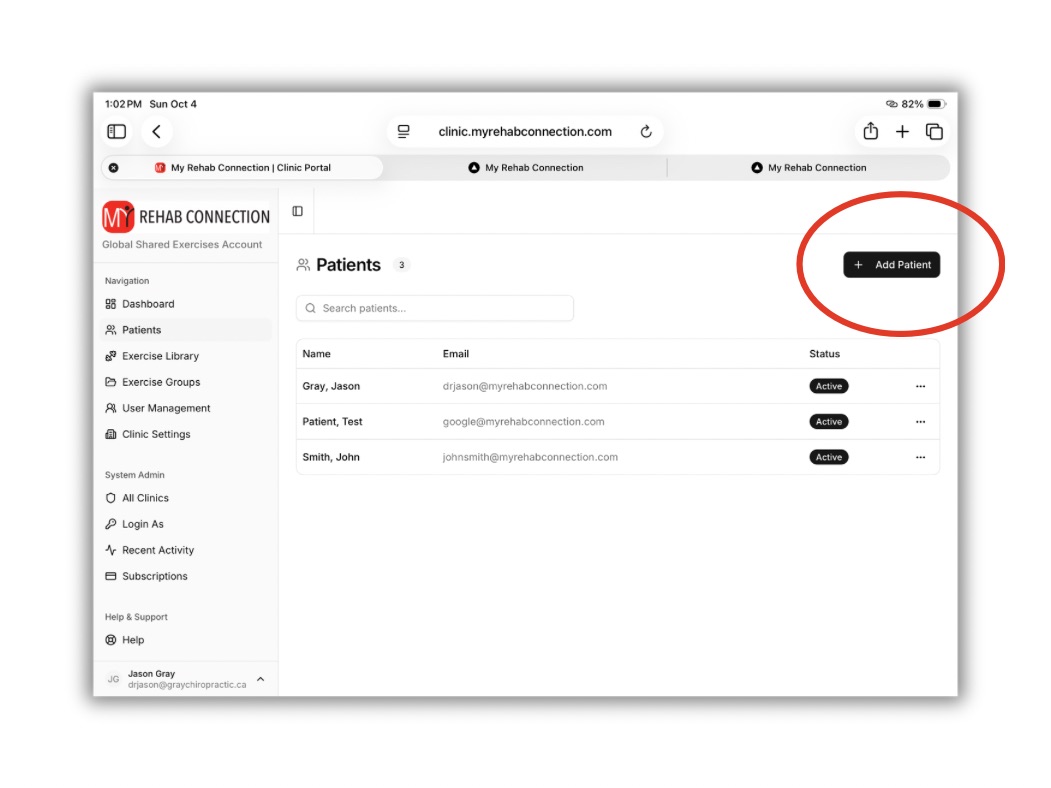
From the Patient window click the “Add Patient” button.
Now add the patient’s information (name and email) to the pop-up window.
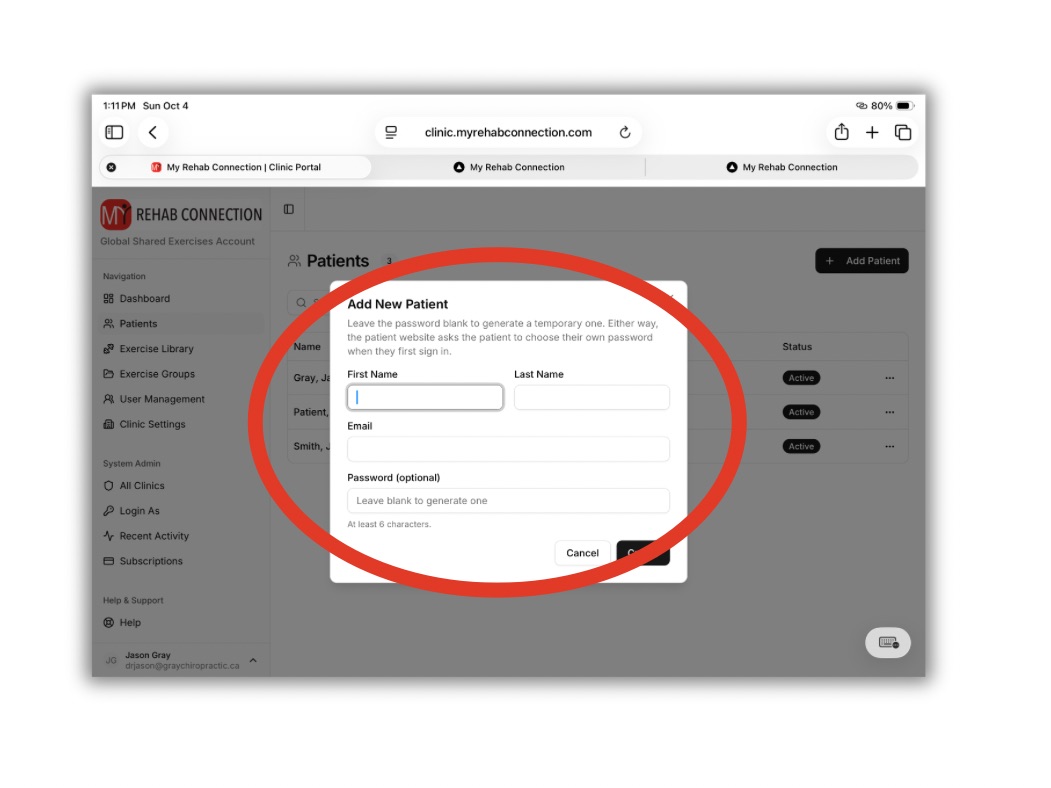
Note: You can manually create a password. If this field is left blank a random password will automatically be created for them. This password will be emailed to the patient along with a link to download the app or to login through the patient website.
When done press the “Create” button.
This will close the window and the patient will be added to your patient library.
You can then search and select the patient from the exercise library and start prescribing exercises.