Copying Exercises To Your Soap Notes
Copying Exercises To Your Soap Notes
If you use a web based notes software you can easily copy and paste your patient’s exercise prescriptions into your SOAP notes.
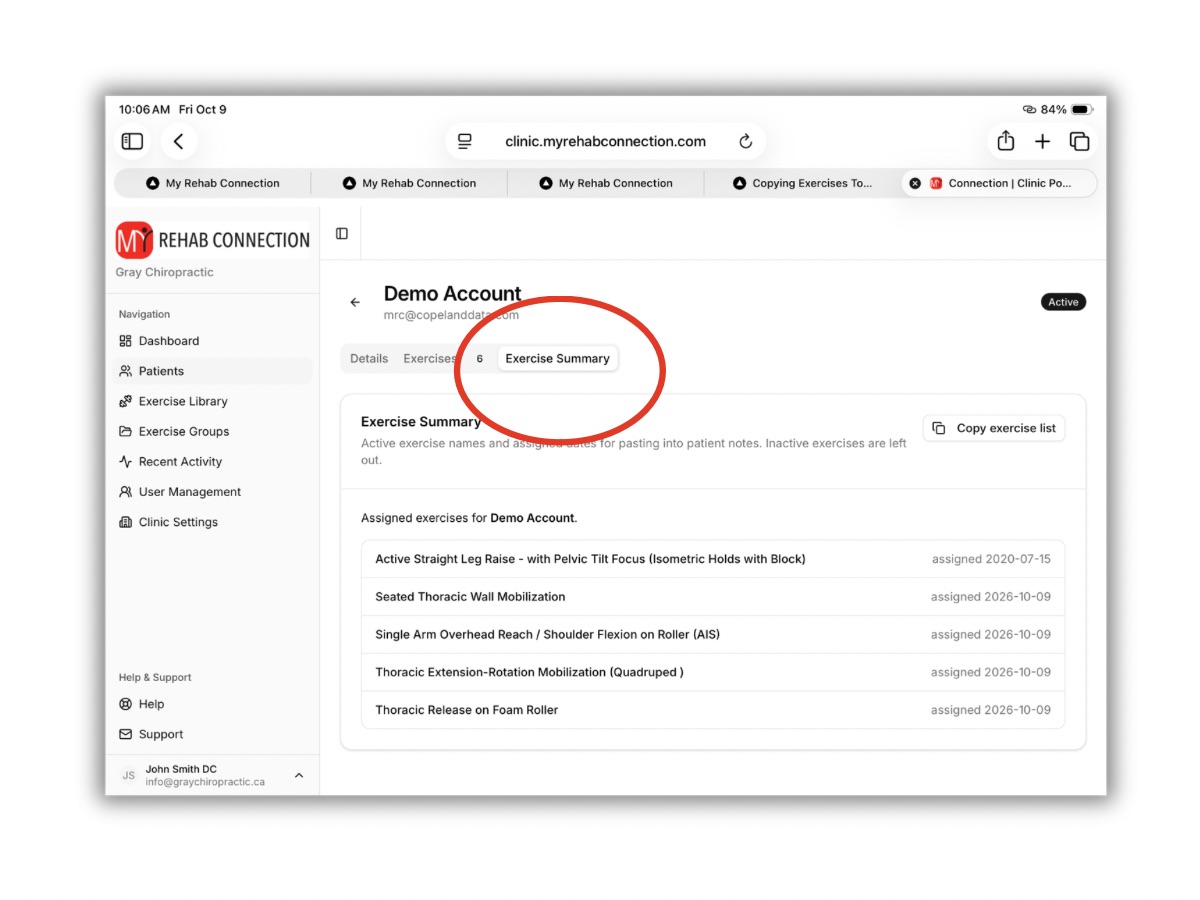
With a patient window open simply click the “Exercise Summary” tab at the top of the screen. You will now see a text list of the patient’s assigned exercises.
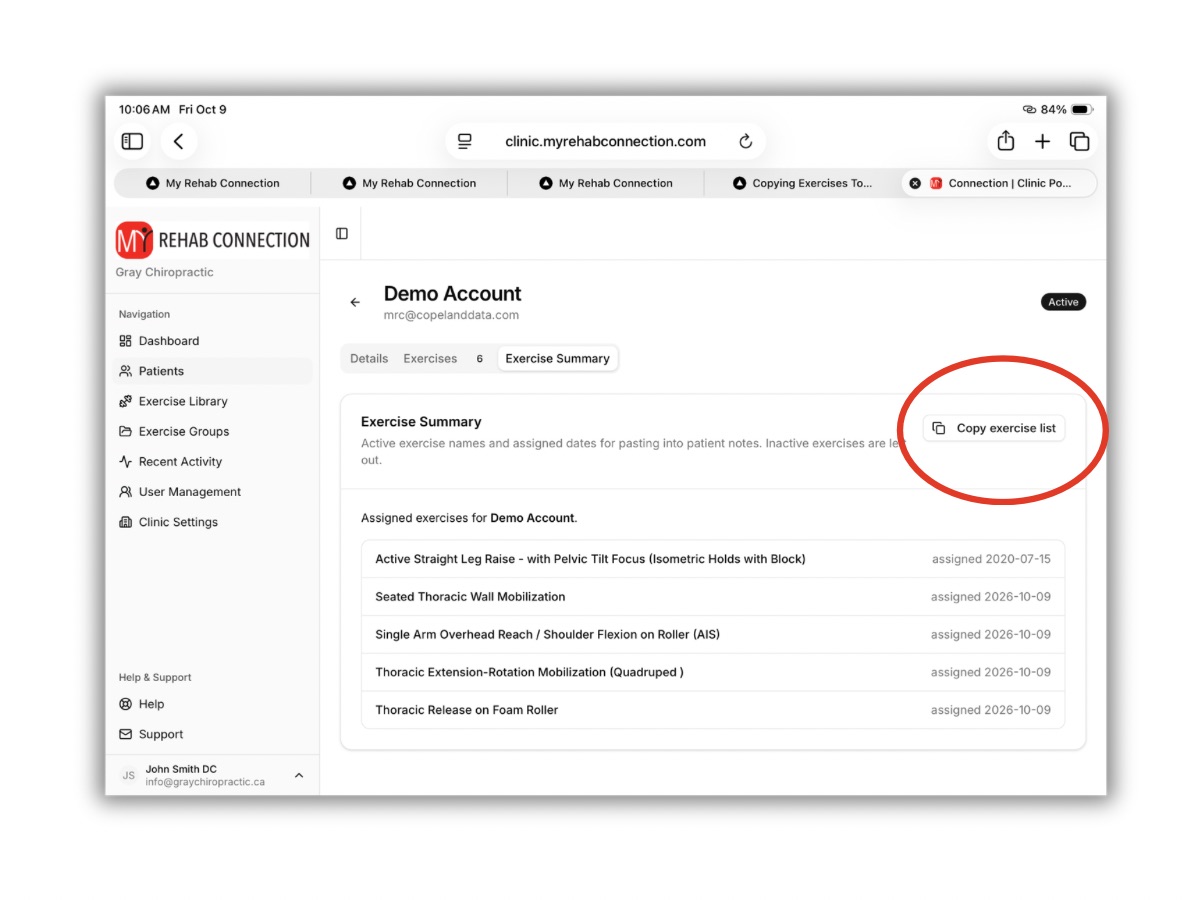
Click the “Copy Exercise List” button. This will copy the list to your computers clipboard.
To paste the list into your soap note open the patient’s file from your notes software and right click and select paste (or press “ctrl-v” on a PC or “command-v” on a Mac). You should now see the patient’s assigned exercise list in your soap notes.