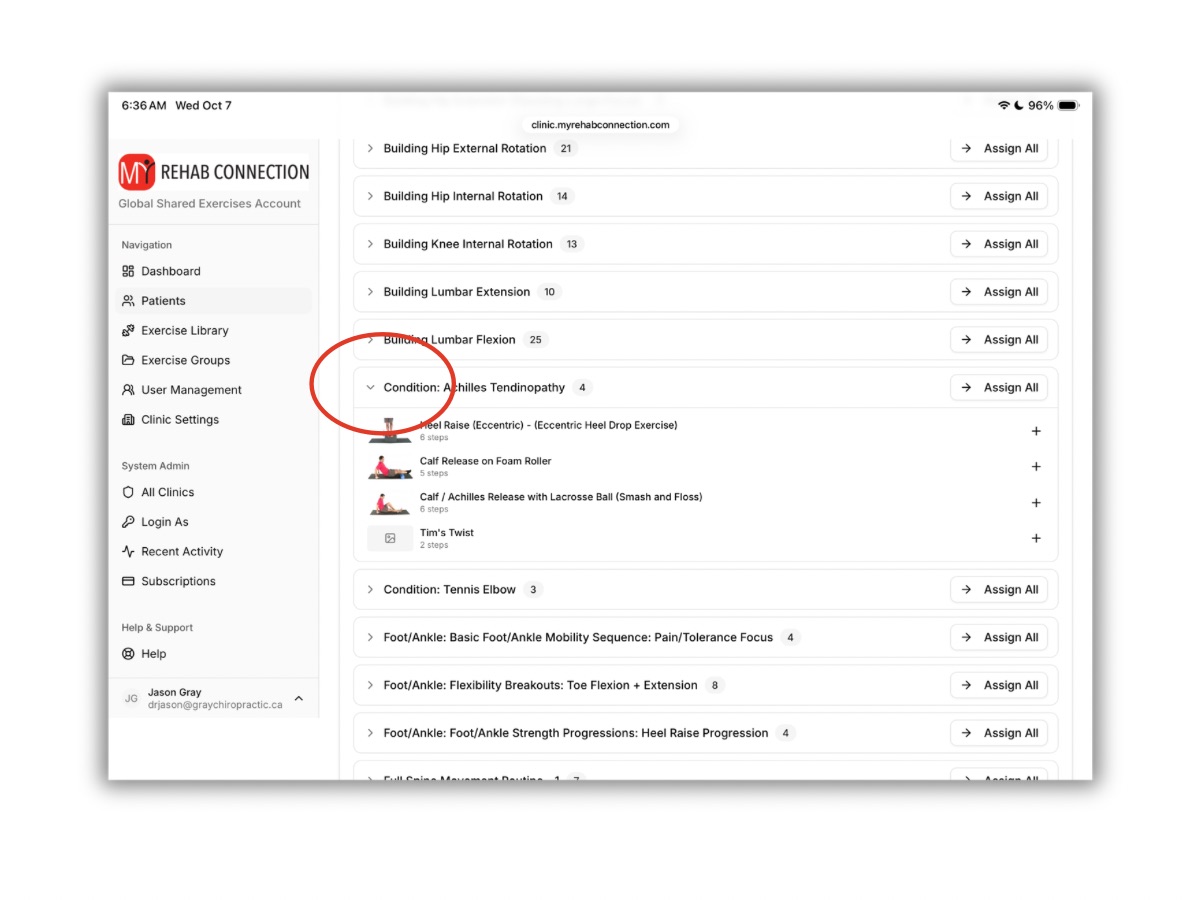
Copying An Exercise Group
You cannot edit a pre-loaded exercise group directly. But you can copy/clone the group and edit it that way (change the name of the group, add/delete exercises, change the order of the exercises).
To copy an exercise group click the “Exercise Groups” link from the Dashboard or left sidebar.
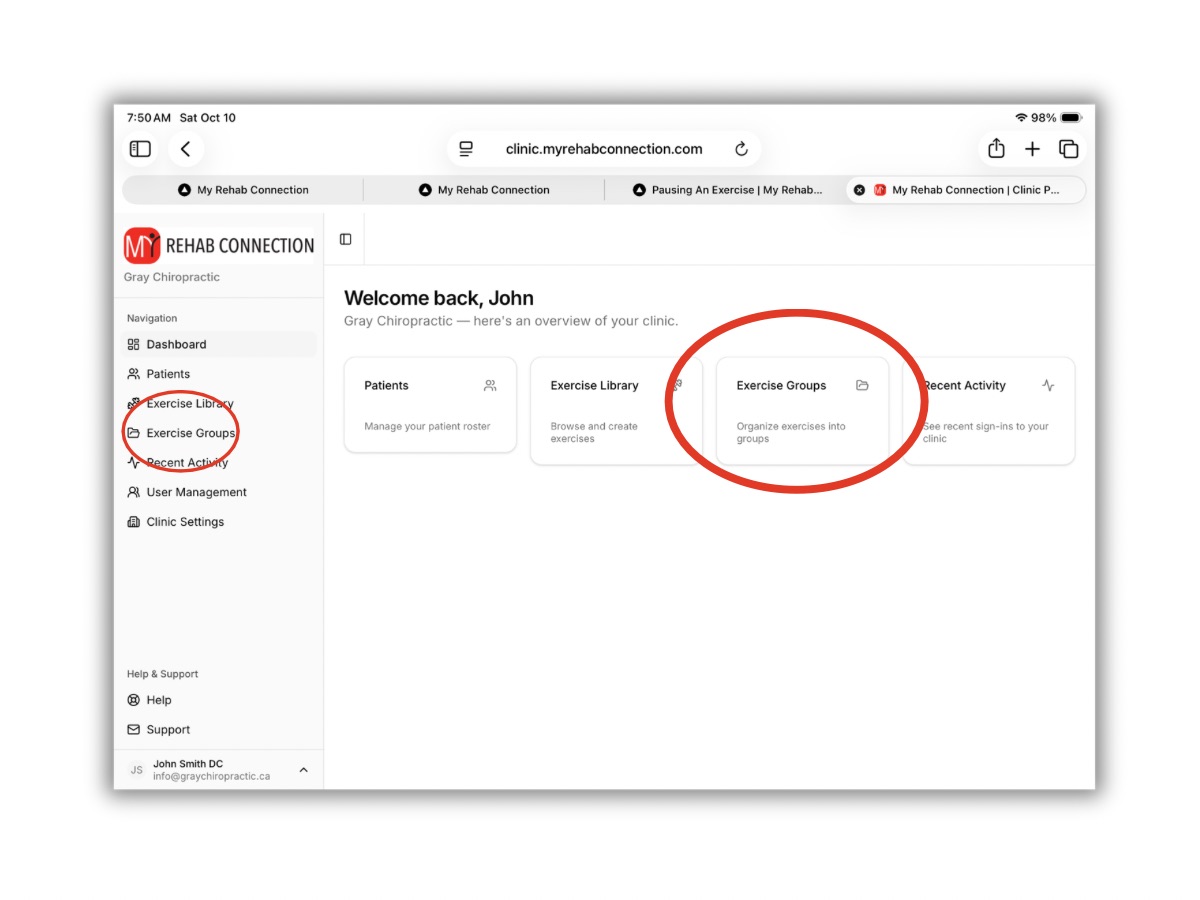
This will open the list of current exercise groups. Scroll or search to find the group you want to copy. The click the “Actions” link to the right of the group, and click “clone”.
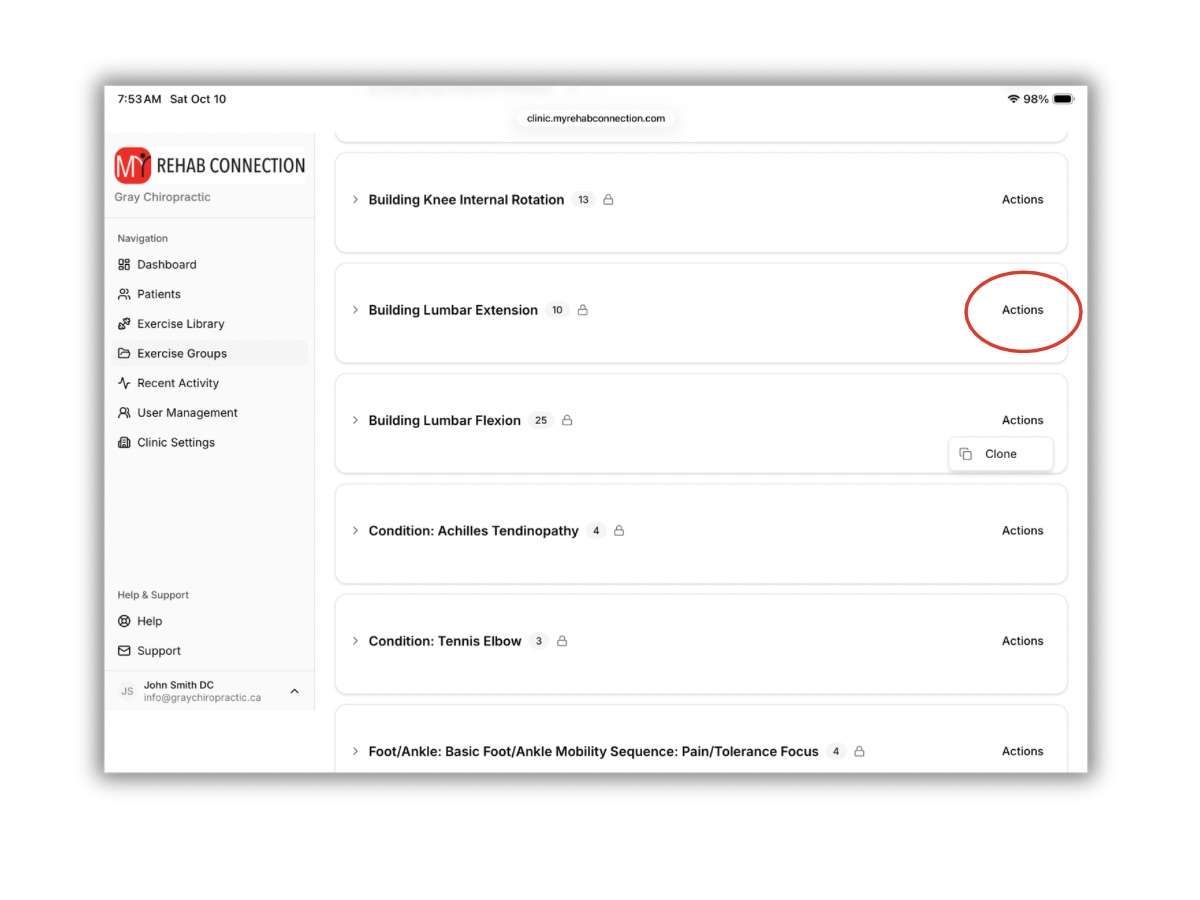
This will copy the group (it will now appear towards the top of the list with any other custom groups you have created without the “lock” icon). You can now edit the group. To rename the group click the “Actions” link of the newly copied group.
To add/delete exercises click the drop-down arrow to the left of the group name.