
Changing A Patient’s Password
Updating A Patient’s Password (For App Login)
Your patient will receive a login password via an automated email once you have set up and activated that patient.
Your patient can change this password from with their app following these instructions:
From the app home screen click the “Menu” button located in the upper left hand corner.
Scroll down and click “Settings”.
Enter the new desired password (then confirm this password) in the space provided.
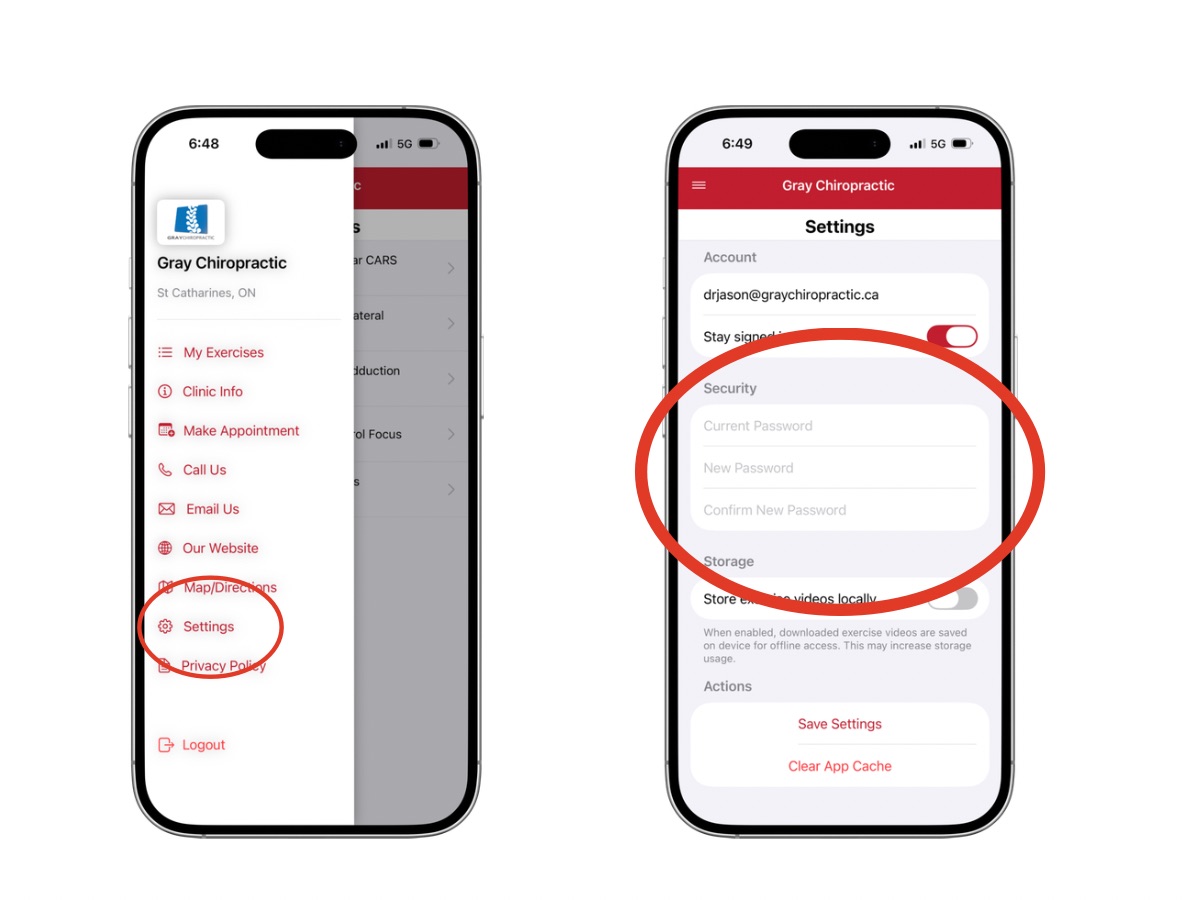
Then click “Save Setting” at the bottom of the screen.