Adding Exercises To Exercise Groups
Creating Your Own Exercise Groups
(Note: You cannot add exercises to the pre-made exercise templates. You can only add exercises to exercises groups/template that you create.)
To add an exercise to an Exercise Group open the Exercise Group section.
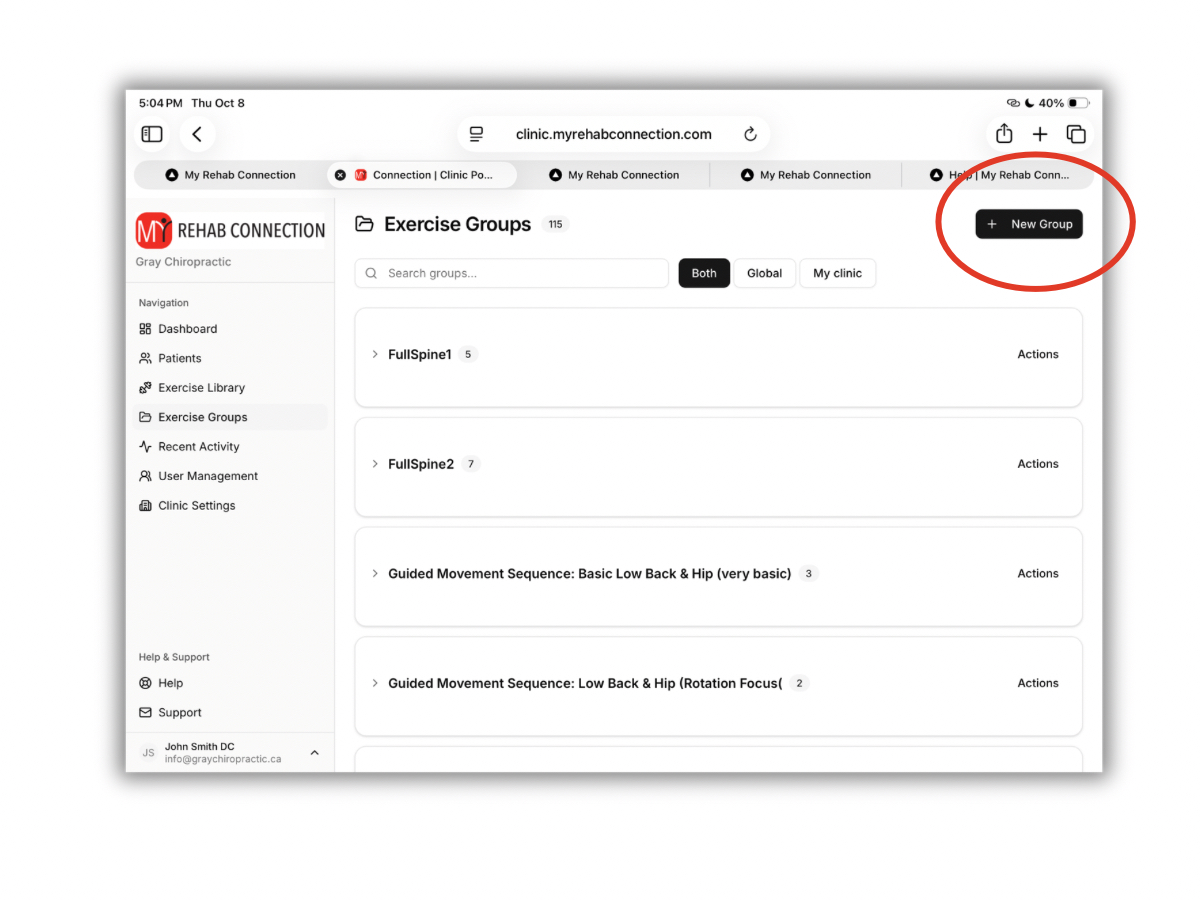
To create a new group click the “New Group” button at the top right of the screen.
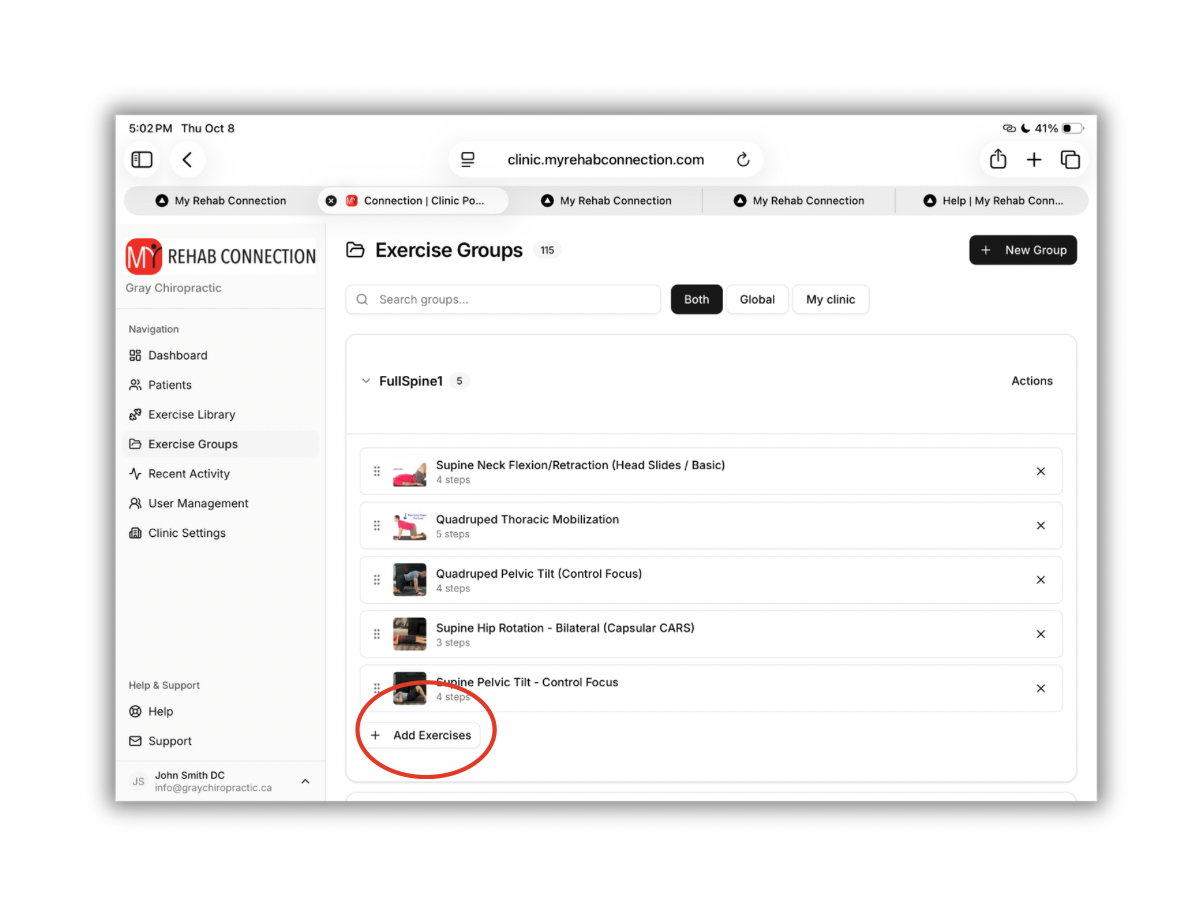
To add exercises to a group, scroll down the find the group. The open the group by clicking the arrow at the left of the group name. This will open the group. Click the “Add Exercises” button at the bottom of the group.
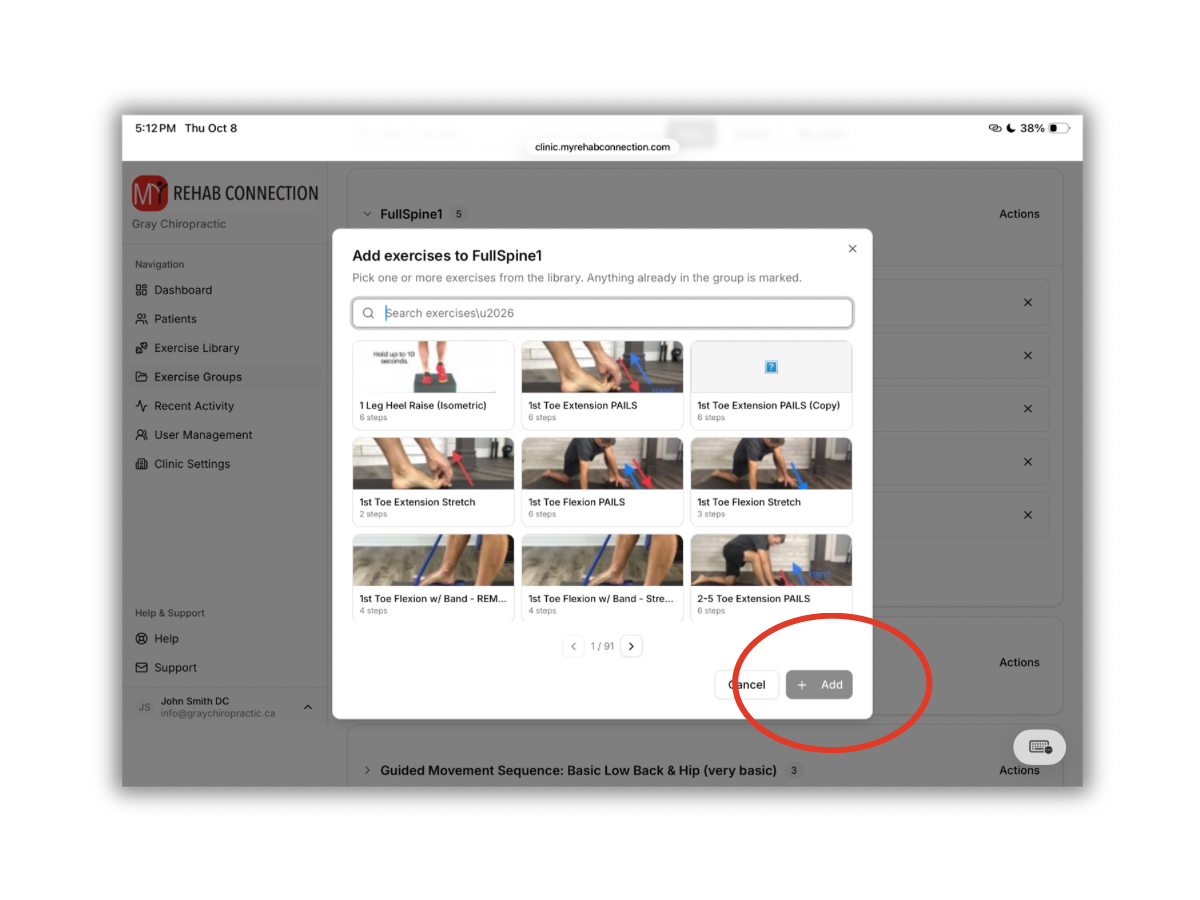
This will open a display window of the exercises in the exercise library. Search and then click on the exercise(s) you want to add and click the “Add” button.