Adding Additional Users To Your Account
Adding Additions Users (Clinicians) To Your Account
You can add multiple users to your account. Small Clinic subscriptions can add up to 5 users. Big Clinic Subscriptions can add up to 25 users. All users will have a unique login email and password. Only clinic administrators can access/modify clinic information, users, and billing/payment information.
To add additional user to your account, click the “User Management” link in the left sidebar.
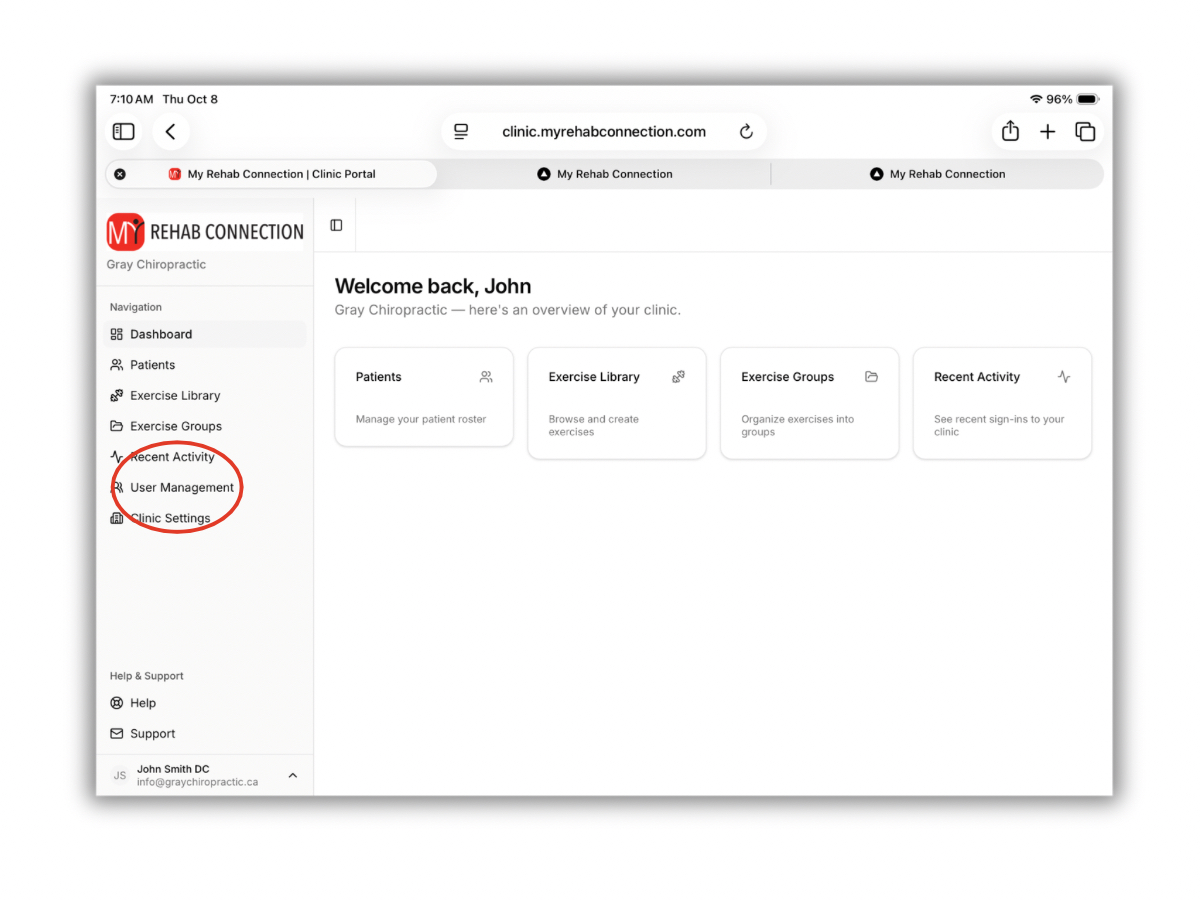
From here you can see and edit any existing users, as well as add a new user.
To Add A New User
To add a new user click the “Add User” button. Then fill in the name and email of the user you want to add. Once the user is added they will receive a welcome email with their login information.
To Edit An Exiting User
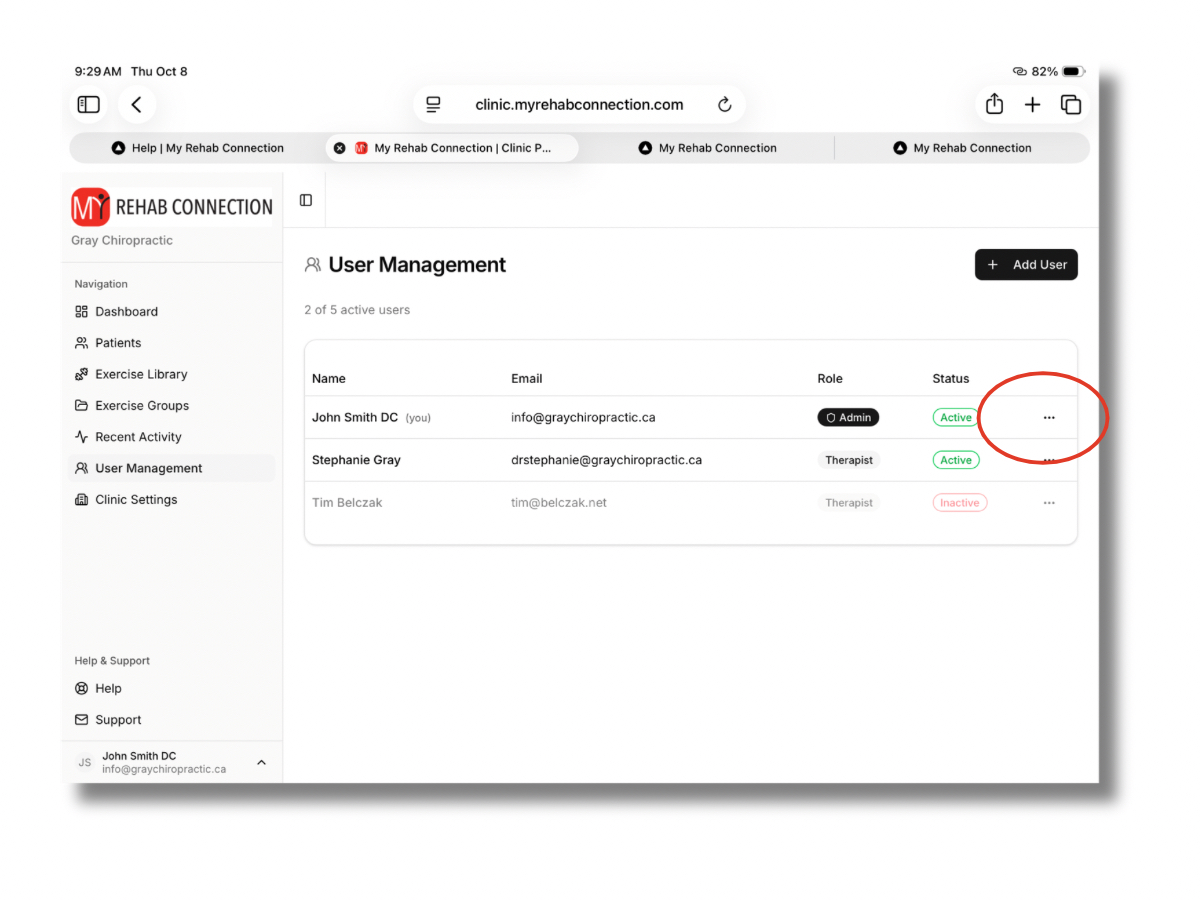
To edit an existing user click the “User Management” link in the left sidebar to display the list of current users.
To edit an existing user click the 3 dots to the right of each user. This will allow you to edit each user. Form this link you will be able to:
Edit the name and email
Set user as active/inactive (inactive users cannot access the system)
Set as administrator (administrators can manage clinic info, users, and payment and billing information)
Reset user passwords (this can also be done by the user from the login page)